
728x90
Google Fonts의 icons 사용 가이드(html)
Google Fonts
Making the web more beautiful, fast, and open through great typography
fonts.google.com
구글 폰트 접속

상단에 icons 클릭
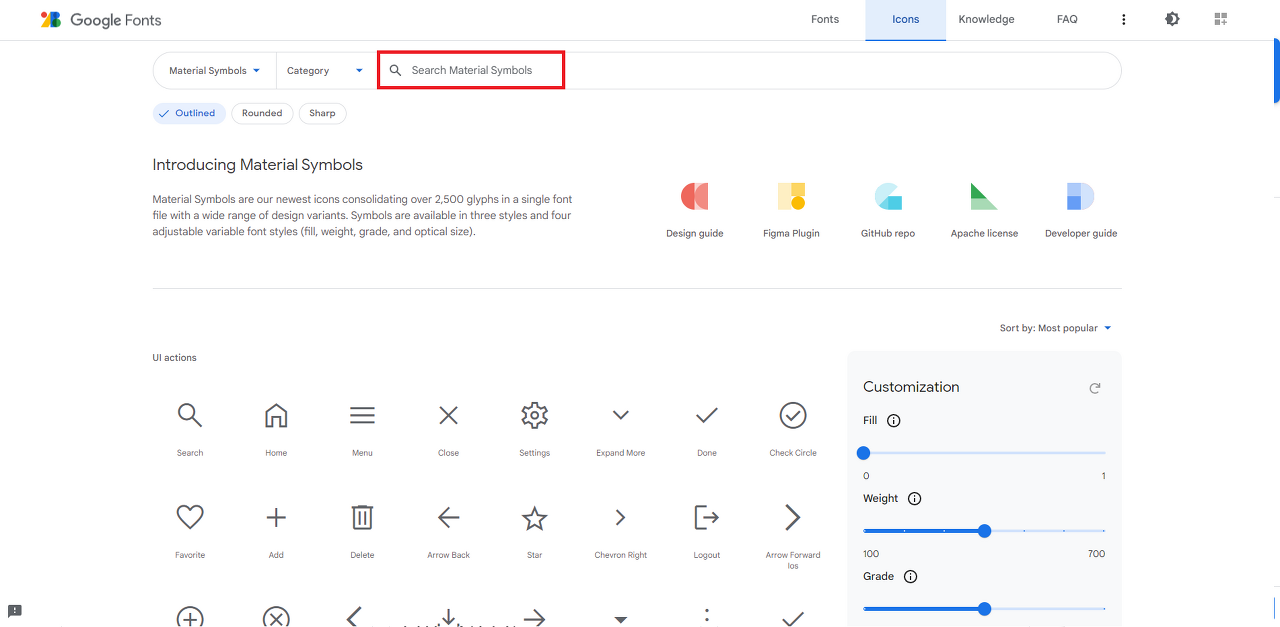
원하는 icons 검색

원하는 icon 클릭

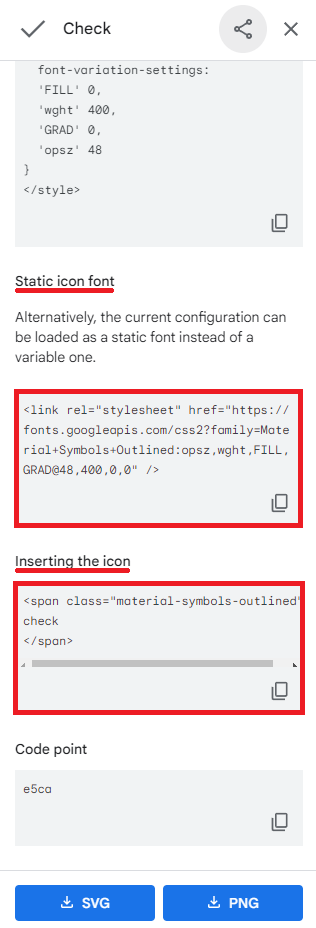
Static icon font, Inserting the icon 코드 복사
1. Static icon font → head 안에 붙여넣기
<head>
    <meta charset="UTF-8">
    <meta http-equiv="X-UA-Compatible" content="IE=edge">
    <meta name="viewport" content="width=device-width, initial-scale=1.0">
    <title>todolist</title>
    <!-- head 사이에 Static icon font 추가 -->
    <link rel="stylesheet" href="https://fonts.googleapis.com/css2?family=Material+Symbols+Outlined:opsz,wght,FILL,GRAD@48,400,0,0" />
    <link rel="stylesheet" href="css/todo.css">
</head>
2. Inserting the icon → body 안에 붙여넣기
    <li class="check-zone">
        <!-- body 안에 icon으로 만들어 놓은 코드 안에 추가 -->
        <span class="material-symbols-outlined check">check</span>
    </li>

성공!
728x90
반응형
